Do You Know What Loads on Your Storefront?
by Edward Upton
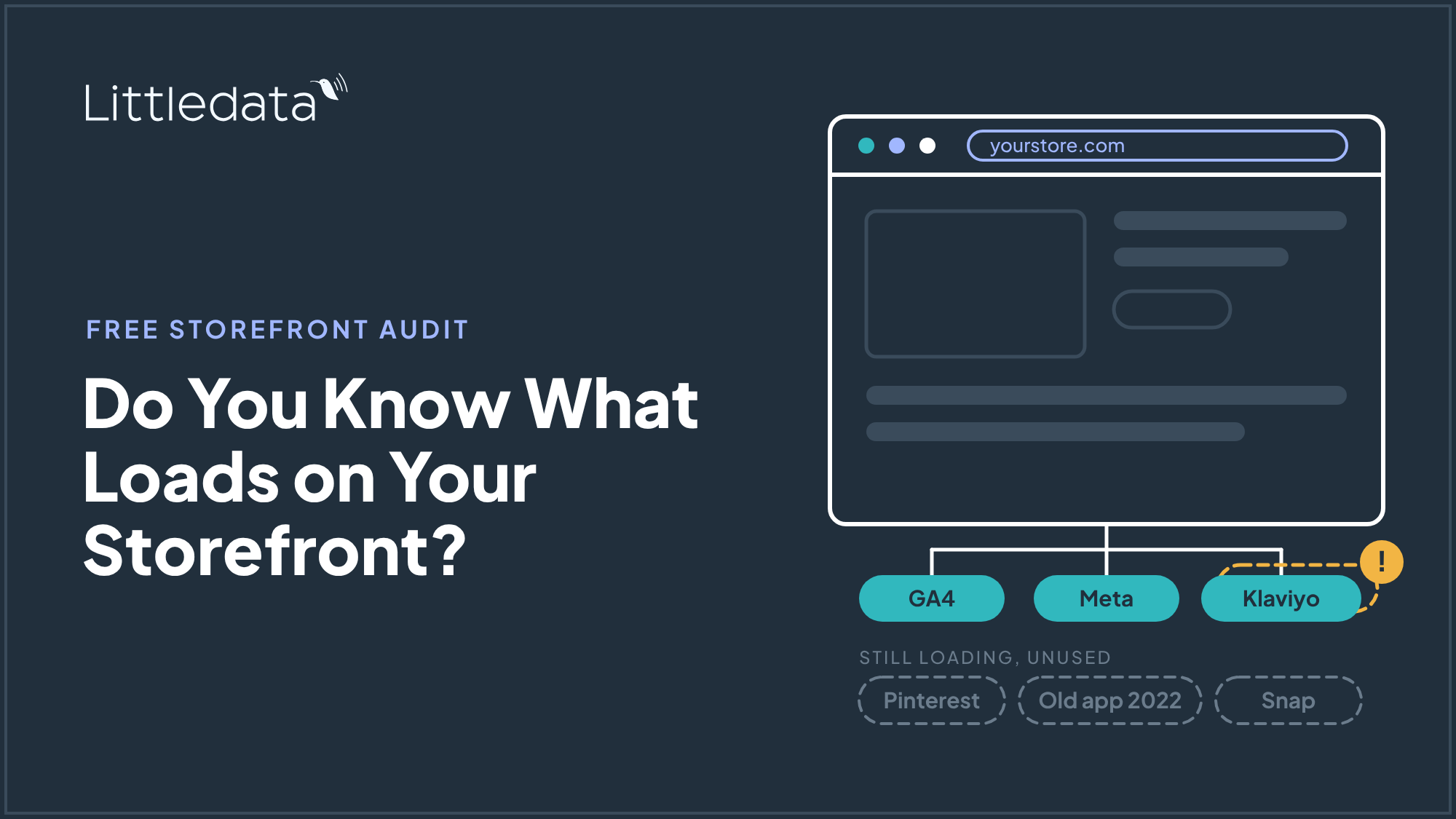
The recent spate of Shopify app hacks has exposed an old problem: scripts from apps they stopped using years ago are still loading on every page. We have extended Littledata's free audit to find inactive and duplicate marketing tags, not just the active ones, so you can clean up your data layer before adding anything else.
Ask a Shopify store marketer which tags fire on their storefront and most will name the five tools they use today. But when I check the page and the list is much longer. There are scripts for apps uninstalled in 2022, pixels for ad channels nobody has used in years, and the same Meta pixel loaded twice from two different places.
The hacks made that bloat a live risk. A compromised app does not need to be one you still use. It only needs to be one that still loads.
Three reasons a forgotten script is a liability
It is a security hole
Any script on the storefront can be swapped for malicious code. The large platforms protect their own libraries well. Google and Meta go to considerable lengths to make sure their tracking code cannot be tampered with directly. The weak point is the one or two steps in between: the app, the Google Tag Manager container, or the theme snippet that injects the library onto your page. Hijack that step and a checkout-skimming script ships to every visitor.
Every extra app or GTM tag is one more of those steps. A tag you forgot about is one nobody is monitoring.
It is a privacy breach
Most merchants know they must ask for consent before tracking a shopper. Far fewer realize that a forgotten script fires regardless of what the consent banner says. If that script sends customer details such as email address or phone number to a tool you no longer use, you are sharing personal data with no purpose and no legal basis. That is likely a breach of your own privacy policy, and of GDPR or CCPA where they apply to you.
It is a page speed problem
First page load speed affects both organic ranking and conversion rate, especially on mobile. Tracking libraries are one of the biggest contributors to load lag. In our experience a typical tracking setup costs around 15 points on a Google Lighthouse score.
Removing all tracking is not an option. Without it you have no feedback on which channels bring paying customers. The job is to cut the volume of scripts and tags, not the function.
A couple of stores this month told us Littledata was lowering their Lighthouse score. In each case they were comparing Littledata against no tracking at all, not against Google Tag Manager or the implementation they would otherwise run. Compared with no tracking, every tool loses. Compared with a stack of competing scripts, one consistent data layer wins.
Why we extended the free audit
Littledata's free audit already checked whether the tags a store relies on were reporting accurately. It did not answer the question the app hacks raise: what else is on this page?
So the audit now builds a full inventory of every tracking tag on your storefront. For each one it shows which account the data goes to, how the tag got onto the page (an app, a tag manager, the theme, or a Shopify web pixel), and whether it is still doing anything. It flags duplicates, where the same destination is loaded twice; dead tags, which are installed but never fire; and tags that send data before the shopper has answered the consent banner.
The aim is that before a store even considers installing Littledata, it can see every third party receiving storefront data and remove the ones it no longer uses.
How the audit works
You type a store address. No install, no app permissions, no access to your Shopify admin. Results start appearing while the scan is still running, and the whole thing takes about a minute.
The audit loads your storefront in a real browser, the way a shopper sees it, and records every request the page makes, including the ones from app pixels that run out of sight in Shopify's sandbox. A second visit from Europe loads the homepage before and after the cookie banner is answered, so it can see which tags respect consent and which fire regardless.
You then get a list of everything found: every platform receiving data, which account it goes to, and how it got onto the page (an app, a tag manager, the theme, or a Shopify web pixel). Tags sent twice, platforms with more than one account, tags that never fired, and anything that tracked before consent are called out first. You tick what you no longer use.
The report then covers three things. Tracking accuracy: which of the platforms you kept Littledata can feed, with the option to connect your Google or Klaviyo account to measure the gap on your own data. Security and privacy: how many companies receive shopper data from your storefront today, and how many after you remove what you don't use. Site speed: your mobile Lighthouse score as it is now, and again with the scripts you're removing blocked, so the before and after is measured on your store rather than estimated. You can email the report to whoever looks after your tracking.
Why owning your data layer matters
I believe owning the data layer is one of the more important decisions a brand makes, for three reasons.
- The data you control is the most valuable: The customer data you capture on your own storefront is what optimizes your marketing and your site experience. As I wrote in Agentic commerce bypasses your storefront, the storefront surface is shrinking, so the first-party data you still capture there matters more each year.
- Fewer partners, smaller attack surface: One consistent data layer and one tracking tool running across all your marketing channels reduces the number of external parties needed for accurate tracking. Each one you remove is one fewer injection point to protect.
- Fewer scripts, faster pages: Server-side delivery of the same events to Google, Meta, Klaviyo and the rest replaces a pile of client-side libraries with one.
Run the audit
If you run a Shopify store and care about security, load speed, or plain tracking accuracy, run the free audit. It takes a minute, needs no Littledata install, and shows every active, inactive and duplicate tag on your storefront. Clean up what you find, then check you have the tracking you actually need.