Why You Should Care About Bots and Spam Traffic in Your Analytics and Ad Tracking
by Edward
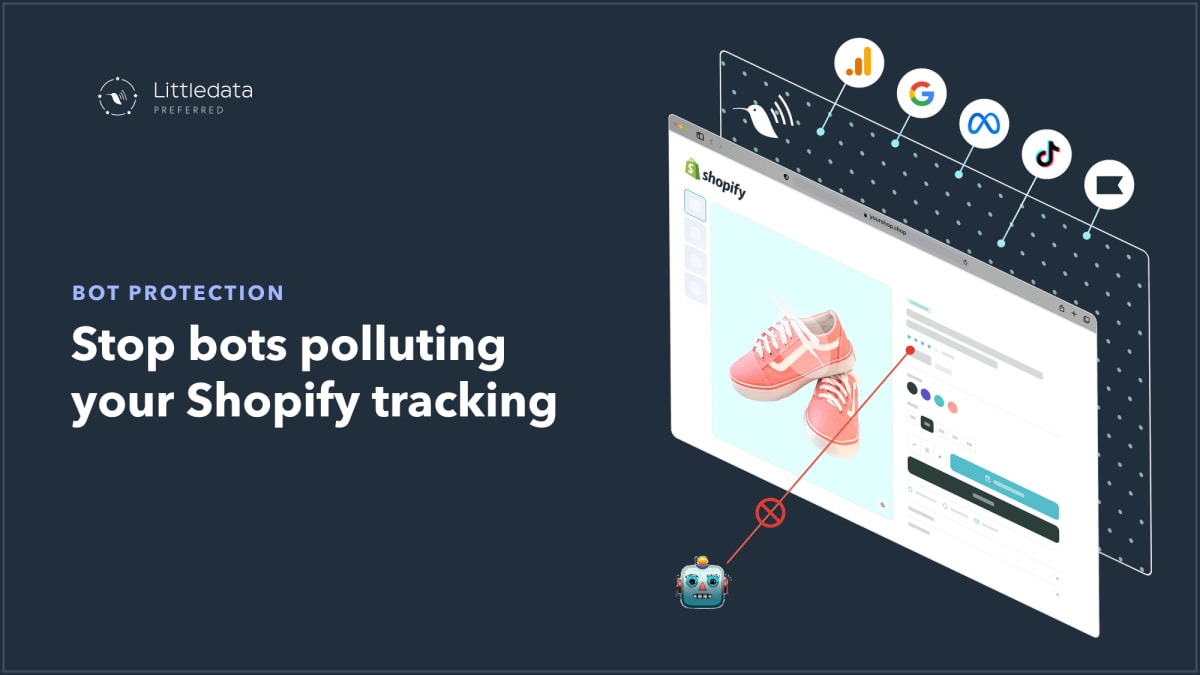
Among the large Shopify brands we work with at Littledata, I've noticed a growing trend: a degradation in tracking quality caused by bots crawling websites and triggering conversions that are not really happening.
See it in action: Bot Protection for Shopify analytics filters bot-generated events before they reach GA4, Meta, and your ad platforms.
Bots are inflating your add-to-cart events
The big problem is with add-to-cart events, which are typically triggered by competitor tracking tools in order to ascertain the stock levels of a product — to check inventory and demand for different products. While these aren't an attack as such — they're not trying to gain access to your systems — every bot visit triggers a spurious event into Meta or Google Ads, which really confuses your retargeting.
That means you are wasting ad budget retargeting bot visits that will literally never convert. And then within Google Analytics, you're seeing a lot of un-converting traffic that is really blurring the picture of what is converting. This bot traffic is likely to appear as 'unassigned' channel attribution in Google Analytics, and as source / medium of (none) / (none).
Two telltale signatures give bots away
Luckily this pollution of your tracking can be stopped, because there are two telltale signatures that Littledata can use to filter them out.
The first is that AWS, who we use for our cloud, has a bot probability feature based on IP address and user agent that detects the likelihood of any given hit to your website being from automation rather than a human visitor.
Secondly, these visits tend to appear out of nowhere with no customer journey attached. The very fact that they just pop up as an add-to-cart without any journey beforehand is itself a telltale sign. These events have no attribution exactly because there is nothing to be attributed — there's no marketing journey leading up to that event.
Introducing Bot Protection
Last month we launched our Bot Protection feature: a very easy on-off switch within the data settings to reduce this exact kind of spam from your reports.
Not only is it going to make your life easier in terms of interpreting what is converting on your website and which traffic sources are driving conversions, it's also going to make the conversion funnel percentages look right — because right now your mid-funnel is massively inflated by these bots.
But with the ads tracking it can save you real money. By focusing your retargeting dollars on human traffic that may convert, you can save 30–40% of your retargeting costs.
How big a problem is this for your store?
It's hard to estimate how big a problem this is for any given store. It seems that more prominent brands — not necessarily large brands — are more affected, but I'm pretty sure at this stage most brands have some kind of bot problem, and this is not something that other tracking tools (including server-side Google Tag Manager) can easily filter.
The way we've built Littledata's data layer allows us fine-grained control over which events we send through and how we enrich each event with signals about where the session came from. It's exactly this fine-grained control that has allowed us to launch Bot Protection, along with our newest feature, Events Editor, to give you the ability to configure exactly which events — and under which scenarios — you want to trigger through to ads or retention marketing tools.
Please do reach out if you have questions about how Bot Protection works or are unsure whether it's going to work for your site. Our Monitor AI tool can scan your site for Unassigned traffic and likely bot attacks before you install, and recommend whether this is a workable solution for your Shopify store.
Ready to clean up your tracking? Learn more about Bot Protection or book a demo to see it on your own data.